Learning how to set up microscope correctly is the first step to seeing clear, detailed images. A good setup helps you avoid blur, eye strain, and broken slides. It also makes focusing easier and faster for every sample you view. In this beginner guide you will learn the parts to check, the order of operations to follow, and simple tips that improve image quality right away.
Some common mistakes include:
-
Using the wrong coverslip thickness, which affects image quality.
-
Struggling with measurement accuracy due to focus issues.
-
Missing out on digital microscope features that improve reliability.
If you want to learn how to set up microscope correctly, you should start with careful preparation. The next section will show you how to unpack and power on your microscope for the best results.
Microscope Setup Prep
Unpack and Power On
Start by removing the protective cover from your microscope. Check that all parts are present and undamaged. Plug in the power cord if you use a light microscope. Make sure the power switch is off before connecting to avoid electrical issues. Turn on the microscope and confirm that the light source works.
If your light microscope uses batteries, install them according to the instructions. You should see the illumination needed for viewing samples.
Reference the Manual
Always read the manual before you begin. Each microscope model has unique features and safety tips. The manual explains how to operate the light microscope and how to adjust the focus. You will find diagrams that show the correct placement of slides and accessories.
Following the manual helps you avoid mistakes and keeps your microscope in good condition.
Place on Stable Surface
Choose a clean, stable workspace for your microscope. Avoid surfaces that vibrate or wobble. Risks include equipment failure, falling, and exposure to dust or chemicals. You can use a desk with a glass or chemical-resistant laminate top. Shallow shelves or compartments help organize accessories.
Position your workspace near a computer desk for convenience.
Tip: Select durable, non-porous materials for your lab counter. These resist stains, heat, and impact. Antimicrobial surfaces help prevent microbial growth
A stable setup ensures your light microscope performs well and keeps your focus sharp.
How to Set Up Microscope: Step-by-Step
Setting up your microscope for the first time can feel overwhelming, but you can master each step with a little practice. This section will guide you through the process, from adjusting the nosepiece to observing your specimen in detail.
If you want to know how to set up microscope equipment for clear viewing, follow these steps closely.
Adjust the Nosepiece and Objective Lens
-
Start by rotating the nosepiece so the scanning lens (usually 4X) points directly toward the stage. This is the lowest power lens and helps you find your specimen easily.
-
Use the coarse adjustment knob to move the stage down or the nosepiece up. This creates space between the objective lens and the stage.
-
Carefully rotate the scanning or low power lens into position. Make sure the lens does not touch the slide.
-
Move the stage as close as possible to the lens without making contact. This helps you begin focusing the microscope safely.
-
Once you have a rough image, you can switch to higher power objectives, such as 10X, 40X, or even 100X on a compound light microscope. Always rotate the turret gently to avoid damaging the lenses or the specimen.
Objective lenses play a key role in magnification and image clarity. Each lens collects light and forms a real, magnified image. For beginners, long working distance objectives are helpful because they let you adjust your sample without losing image quality. The total magnification is the product of the objective lens and the ocular lens.
For example, a 10X objective with a 10X eyepiece gives you 100X total magnification. This flexibility allows you to adapt your compound microscope for different specimens.
Tip: Always start with the lowest power objective lens when learning how to set up microscope equipment. This reduces the risk of damaging your slides.
Prepare and Center the Slide
Proper slide preparation is essential for clear viewing. Follow these steps to avoid air bubbles and ensure your specimen is visible:
-
Clean your slides and cover slips with soap and water or an alcohol-based cleaner. Remove all dirt, grease, and fingerprints.
-
Dry the slides and cover slips with a lint-free cloth or let them air dry.
-
Place a small drop of mounting medium in the center of the slide.
-
Position your specimen in the center of the mounting medium. Try to avoid trapping air bubbles.
-
Add another drop of mounting medium on top of the specimen, but do not let it overflow.
-
Lower the coverslip gently onto the mounting medium. Press lightly to remove any remaining air bubbles.
-
Label your slide with the specimen name, date, and other details.
To center the slide under the objective lens, use the stage clips to hold it in place. Move the slide so the area you want to observe is directly under the lens. If your microscope has a mechanical stage, use the adjustment knobs for precise movement.
Centering the specimen ensures you see the most important details when you focus.
Set Up the Light Source
The light source you choose affects how well you can see your specimen. Most beginner microscopes use one of the following:
|
Light Source |
Characteristics |
Impact on Specimen Visibility |
|---|---|---|
|
LED |
Bright, cool light, low heat generation, long lifespan, often battery-operated |
Enhances visibility without overheating |
|
Halogen Lamp |
Strong white light, generates heat, moderate lifespan, often dimmable |
Provides good visibility but can overheat |
|
Tungsten/Incandescent |
Warm white light, generates heat quickly, short lifespan, often inexpensive |
Good visibility but may not last long |
|
Fluorescent |
Produces white light, less heat, short lifespan, used in professional scopes |
Good visibility but not common in beginners |
Adjust the diaphragm to control the amount of light passing through your specimen. The diaphragm regulates both the intensity and the contrast of the image. For most samples, start with moderate light and adjust as needed. If you use a compound light microscope, position the condenser so the diaphragm image is in focus.
Use the condenser centration screws to center the light in your field of view. Open the field diaphragm fully and adjust the aperture diaphragm for the best contrast.
Note: Proper lighting reduces eye strain and helps you see fine details more clearly.
Focusing the Microscope
Focusing the microscope is a critical step in how to set up microscope equipment. Use the following method for best results:
-
Look at the side of the microscope and turn the coarse adjustment knob to bring the lens very close to, but not touching, the slide.
-
Look through the eyepiece and slowly move the adjustment knob so the lens lifts away from the slide. The image should come into focus.
-
If the image remains blurry, lower the lens close to the slide again and repeat the process, raising the lens slowly while watching through the eyepiece.
Common errors include using the wrong coverslip thickness, improper mounting, or allowing air bubbles to remain. These mistakes can cause spherical aberration and reduce image quality. Always choose the correct objective lens for your specimen’s thickness.
For a compound microscope, start with the 10X objective and increase magnification only after achieving a clear image.
If you use a binocular microscope, adjust the interocular distance by sliding the eyepieces closer together or farther apart. This ensures both eyes align with the eyepieces, reducing visual strain and improving comfort during long sessions.
Fine-Tune and Observe
After you have a rough focus, use the fine adjustment knob to sharpen the image. The coarse knob moves the lens in larger steps, while the fine knob allows for precise focusing. This step reveals the finer structures and details in your specimen, which is especially important in biological research and medical studies.
If you want to know how to set up microscope equipment for the best results, remember to check your slide for air bubbles, use the correct coverslip, and clean your lenses regularly. Practice will help you become more confident and skilled with your compound light microscope. By following these steps, you can set up your compound microscope or compound light microscope correctly and enjoy clear, detailed views of your specimens.
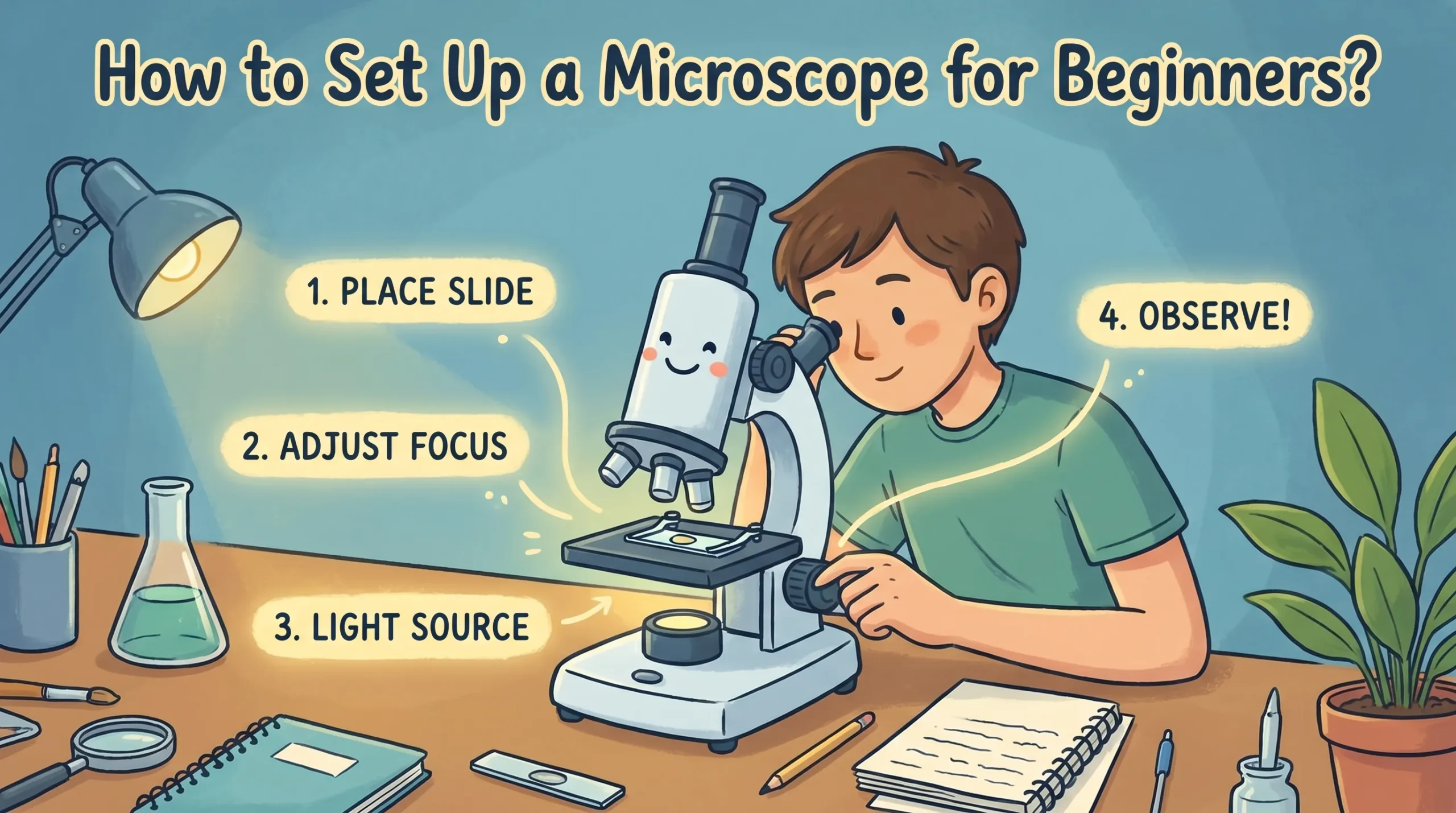
You can set up your microscope by following these steps:
-
Place the longest objective lens in position and lower the stage.
-
Secure your slide with clips.
-
Adjust the lens close to the slide.
-
Focus through the eyepiece.
-
Adjust the condenser for light.
Practice with your microscope improves your skills and confidence. If you face issues, keep both eyes open, use a coverslip, and clean the lens with lens paper. Explore online guides and communities for extra help.