
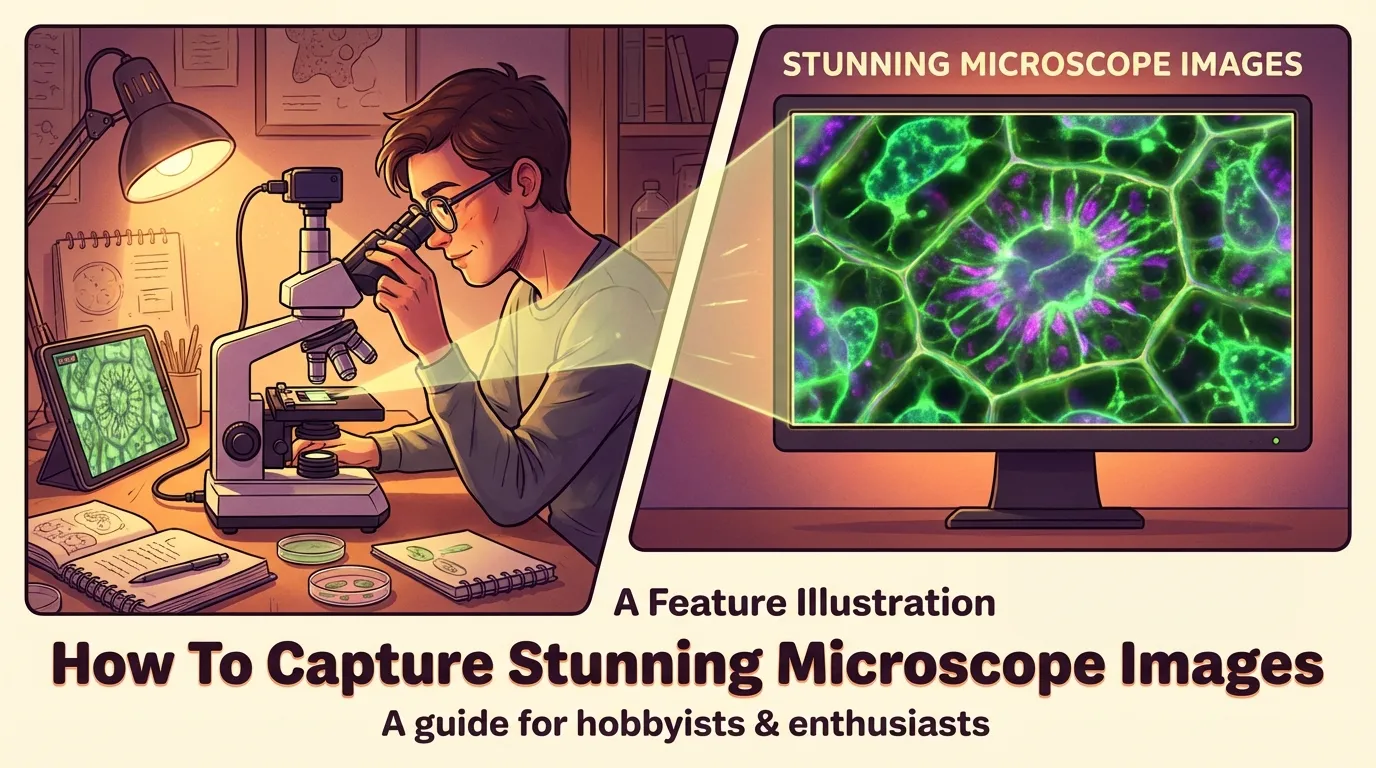
Microscope photography opens a window to the unseen, revealing intricate patterns and structures invisible to the naked eye. Achieving high-quality images requires precision and the right tools. Factors like pixel count, brightness range, and spatial resolution play an instrumental role in image clarity. For instance, the numerical aperture of a microscope lens directly impacts resolution, with higher values delivering sharper details. Advanced technologies, such as back thinned CCDs, enhance sensitivity, capturing even the faintest details.
Learning to take superb microscope photographs necessitates comprehending these factors and perfecting your setup to achieve remarkable visuals.
Essential Equipment for Performing Microscope Photography
Choosing the Best Microscope for Photography
Picking the right microscope is the foundation of successful microscope photography. You should prioritize models with high numerical aperture lenses, as they provide sharper and more detailed images. Compound microscopes are ideal for capturing intricate cellular structures, while stereo microscopes excel in imaging larger specimens. Consider microscopes with LED lighting, as they offer better color rendition compared to CFL floods. This ensures accurate color reproduction, especially for reds and other vibrant hues.
When choosing a microscope, ensure it is compatible with your camera setup. Some models come with built-in camera ports, simplifying the connection process. For advanced users, research microscopes with modular designs allow for greater flexibility in adapting to various imaging needs.
Microscope Cameras and Their Compatibility
Microscopy cameras play a crucial role in capturing high-quality images. You can choose from three main types: DSLR or mirrorless cameras, dedicated microscopy cameras, and smartphone cameras. Each option has its advantages. DSLR and mirrorless cameras offer superior image quality and manual control. Dedicated microscopy cameras are designed specifically for this purpose, ensuring seamless integration and optimal performance. Smartphone cameras, while convenient, may require additional adapters for proper alignment.
Compatibility is key when selecting a camera. Ensure the camera fits your microscope’s optical system. For instance, C-mount or F-mount cameras are commonly used in microscopy. These mounts allow for secure attachment and precise alignment, ensuring sharp and distortion-free images.
Adapters and Accessories for Connecting Cameras
To connect your camera to the microscope, you will need the right adapters and accessories. High-resolution digital (HRD) adapters are a popular choice. They connect cameras to microscopes and include relay lenses to project images onto the camera sensor. These adapters are compatible with both older and modern microscope models, making them versatile tools.
-
HRD adapters provide sharp, high-contrast images with a multi-coated lens system.
-
They feature a precise focusing mechanism, allowing you to fine-tune the alignment.
-
Lightweight aluminum adapter tubes are available for specific camera models, such as Canon SD series.
-
Some adapters require professional modification for permanent attachment to the camera body.
For older compact digital cameras, accessory threads for mounting filters may be necessary. However, this feature is less common in newer models, reflecting changes in design priorities. Understanding these requirements ensures a seamless connection between your camera and microscope.
Types of Cameras for Capturing Pictures of Microscope Slides
DSLR and Mirrorless Cameras
DSLR and mirrorless cameras are excellent choices for capturing high-quality microscope images. These cameras offer advanced features like large sensors, customizable settings, and high-resolution output, making them ideal for detailed imaging. Mirrorless cameras are compact and lightweight, with electronic viewfinders that simplify operation. They also excel in video quality, even in entry-level models.
On the other hand, DSLRs provide optical viewfinders and a wide range of lens options, ensuring versatility.
|
Camera Type |
Pros |
Cons |
|---|---|---|
|
Mirrorless |
– Smaller and lighter |
– Shorter battery life |
|
|
– Faster shutter speeds |
– Slower autofocus |
|
|
– High-quality video output |
|
|
DSLR |
– Fully customizable settings |
– Bulkier design |
|
|
– Large sensors for cleaner images |
– Higher cost |
|
|
– High-resolution photo output |
|
When using these cameras, ensure proper alignment with the microscope’s optical system. Adapters like C-mounts or F-mounts help secure the connection, preventing image distortion.
Smartphone Cameras for Microscope Photography
Smartphone cameras have become a popular choice for microscope photography due to their convenience and accessibility. Modern smartphones feature advanced sensors and AI-powered enhancements, enabling you to capture detailed images with minimal effort.
For instance, models like ResNet-50 and MobileNet-v2 achieve over 98% accuracy in object and material recognition, showcasing their capability in microscopy applications.
|
Model |
Object Top-1 Acc(%) |
Material Top-1 Acc(%) |
|---|---|---|
|
ResNet-50 |
99.30 |
99.47 |
|
MobileNet-v2 |
98.23 |
99.15 |
To use a smartphone with a microscope, you may need an adapter to align the camera with the eyepiece. This setup ensures stability and prevents misalignment, resulting in sharper images.
Dedicated Microscope Cameras
Dedicated microscope cameras are specifically designed for capturing images through a microscope. These cameras integrate seamlessly with the microscope’s optical system, offering features like real-time image analysis and high sensitivity. The medical microscope camera market has seen significant advancements, including AI integration for enhanced diagnostic capabilities.
Such a technology improves accuracy by identifying patterns and anomalies in real-time.
Dedicated cameras often support digital microscopy, allowing you to store and retrieve images easily. This feature is invaluable for research and case management. While these cameras may lack the versatility of DSLRs or smartphones, their specialized design ensures optimal performance for microscopy tasks.
Step-by-Step Guide to How to Microscope Photography
Setting Up the Microscope and Camera
Proper setup is essential for achieving high-quality microscope images. Start by connecting your microscope to a stable power source. Align the lowest objective lens using the revolving nosepiece to ensure a clear starting point. Prepare your specimen by placing it on a slide, covering it with a coverslip, and securing it on the stage. This step minimizes movement during image capture.
Next, attach your camera to the microscope using a compatible adapter.
A C-mount adapter is a common choice, as it ensures precise alignment between the microscope’s optical system and the camera’s sensor. When selecting an adapter, consider the eyepiece magnification and the camera chip size. This ensures the circular image from the microscope fits well within the rectangular sensor of the camera.
Matching the sensor size with the optical adapter is crucial for optimal image capture.
Adjusting Focus and Magnification
Achieving sharp focus and the right magnification is critical for capturing detailed images. Begin by using the coarse adjustment knob to bring the specimen into view. Once the image is visible, switch to the fine adjustment knob for precise focusing. This step is especially important when working with high magnifications, as even slight misalignments can blur the image.
Advanced autofocus methods, such as deep reinforcement learning-based algorithms, can significantly enhance clarity. These techniques outperform manual focusing by improving detail and sharpness, regardless of the initial defocus state. If your setup supports it, consider using such technologies to streamline the focusing process.
Optimizing Lighting for Clearer Images
Lighting plays a pivotal role in microscope photography. Adjust the condenser to control light intensity and ensure even illumination across the field of view. LED lighting is highly recommended, as it provides consistent brightness and accurate color reproduction.
This is particularly beneficial for capturing vibrant details in your specimen.
Using filters or polarizers can further enhance image quality by reducing glare and improving contrast. Experiment with different lighting angles to highlight specific features of your specimen. Proper lighting not only improves clarity but also ensures that the colors in your images remain true to life.
Capturing and Saving Pictures of Microscope Slides
Capturing and saving high-quality images of your specimens is the final step in mastering how to microscope photography. This process ensures that the intricate details you observe are preserved for analysis, sharing, or documentation.
Steps for Image Capture
-
Stabilize Your Setup: Ensure your microscope and camera are securely mounted. Any movement during image capture can result in blurry images.
-
Adjust Camera Settings: Use manual mode on your camera to control exposure, ISO, and white balance. Lower ISO settings reduce noise, while proper exposure ensures clarity.
-
Frame the Specimen: Align the specimen within the field of view. Use the camera’s live view feature to preview the image and make necessary adjustments.
-
Capture the Image: Press the shutter gently or use a remote shutter release to avoid vibrations. For smartphone cameras, tapping the screen to focus before capturing can improve sharpness.
Saving and Managing Images
Choosing the right file format is crucial for preserving image quality. The table below highlights the characteristics of common formats:
|
File Format |
Characteristics |
Storage Requirements |
|---|---|---|
|
TIFF |
Uncompressed, high quality |
Requires most hard drive space |
|
BMP |
Uncompressed, high quality |
Requires most hard drive space |
|
JPEG |
Compressed, reasonable quality |
Dramatically reduces storage requirements |
For research or professional use, uncompressed formats like TIFF or BMP are ideal. They retain all the details captured by the camera. However, if storage space is limited, JPEG offers a practical alternative with minimal quality loss.
Organizing and Sorting Images
Managing large datasets of microscope images can be challenging. Automated tools and software can sort images based on quality, saving you time and effort. These tools use advanced algorithms validated against subjective opinions and state-of-the-art image quality assessments. They help you identify the best pictures of microscope slides for further analysis.
Once you complete these steps, you’ll be able to capture and save remarkable microscope images that highlight the splendor of the microscopic realm.When saving images, create a structured folder system. Label files with relevant details, such as specimen type, magnification level, and date. This practice simplifies retrieval and ensures your work remains organized. By following these steps, you can capture and save stunning microscope images that showcase the beauty of the microscopic world.
Advanced Tips for Enhancing Pictures of Microscope Slides
Adjusting Lighting and Contrast
Fine-tuning lighting and contrast can significantly enhance the clarity of your microscope images. Start by ensuring even illumination across the field of view. Adjust the condenser to control light intensity and eliminate shadows. For better contrast, consider using advanced techniques like UVC microscopy or differential interference contrast (DIC). These methods improve image quality by highlighting subtle details in your specimen.
The table below compares the effectiveness of various contrast enhancement methods:
|
Method |
Contrast Improvement |
Notes |
|---|---|---|
|
UVC Microscopy |
Almost doubled |
Provides better contrast than brightfield microscopy. |
|
DIC |
Baseline |
Performs comparably to UVC without processing. |
|
qDPC Algorithm (processed UVC) |
Almost 7 times |
Significant improvement over DIC when processed. |
|
Holotomography |
Lower than others |
Shows much lower sieve plate contrast compared to UVC and DIC. |
Experiment with these techniques to determine which works best for your specific specimen.
Using Filters and Polarizers
Filters and polarizers are invaluable tools for reducing glare and enhancing image contrast. Polarizers, in particular, are effective for studying birefringent materials, such as crystals or fibers. They work by blocking specific light waves, revealing intricate details that would otherwise remain hidden.
Research supports the effectiveness of these tools.
For example, R. Oldenbourg’s study on polarized light field microscopy demonstrates how polarizers enhance the visualization of birefringent objects. Similarly, E. Garcia-Caurel’s research highlights the role of polarimetric techniques in material analysis, showcasing their relevance in microscopy. When using filters, select ones that match your microscope’s optical system. Neutral density filters can reduce light intensity without altering color balance, while color filters can emphasize specific wavelengths for better visualization.
Post-Processing Techniques for Image Enhancement
Post-processing is the final step in creating stunning microscope images. Use software like Adobe Photoshop or ImageJ to adjust brightness, contrast, and sharpness. Start by cropping the image to remove unnecessary elements. Then, fine-tune the histogram to balance light and dark areas. Advanced tools, such as deconvolution algorithms, can correct optical distortions and improve resolution. These algorithms analyze the image data to reverse blurring caused by the microscope’s optics.
Noise reduction filters can eliminate graininess, especially in low-light images. Save your edited images in high-quality formats like TIFF to preserve details. Organize your files systematically for easy retrieval and future reference.
Capturing stunning microscope images involves mastering essential steps, from selecting the right equipment to fine-tuning lighting and focus. Each step contributes to preserving the intricate beauty of the microscopic world. As you refine your skills, experiment with advanced techniques like using filters or post-processing tools to enhance image quality further.
The microscopic world offers endless possibilities. Each photo reveals hidden details. This sparks curiosity. It increases your wonder at the invisible. Keep experimenting. Let your imagination guide you. Discover the wonders of this fascinating field.
FAQ
What is the best file format for saving microscope images?
TIFF and BMP formats are ideal for preserving image quality. They store uncompressed data, ensuring no loss of detail. However, if storage space is limited, JPEG offers a practical alternative with minimal quality compromise. Choose based on your storage capacity and intended use.
Can I use any smartphone for microscope photography?
Yes, most modern smartphones work well for microscope photography. Ensure your phone has a high-resolution camera. Use an adapter to align the camera with the microscope eyepiece for stability and sharpness. Advanced models with AI-powered enhancements can deliver even better results.
How do I prevent blurry images during capture?
Stabilize your setup by securing the microscope and camera. Use a remote shutter release or timer to avoid vibrations. Adjust focus carefully using the fine adjustment knob. For smartphones, tap the screen to focus before capturing the image.
Are filters necessary for microscope photography?
Filters enhance image quality by reducing glare and improving contrast. Neutral density filters maintain color balance while controlling light intensity. Polarizers are excellent for studying birefringent materials like crystals. While not mandatory, filters can significantly improve your results.
What lighting is best for microscope photography?
LED lighting is the best choice. It provides consistent brightness and accurate color reproduction. Adjust the condenser to control light intensity and ensure even illumination. Experiment with angles and filters to highlight specific specimen details effectively.